
Wavefront field note
AI Receptionist for Small Business: A Practical 2026 Setup Guide
Build an AI receptionist that captures missed calls, books permitted appointments, updates your CRM, and escalates risky requests to a person.
By Daniel Michaelis · 2026-08-27
An AI receptionist should act as a reliable front-door workflow, not pretend to be an all-knowing employee. Its best first job is to answer inbound calls your team cannot reach, handle a short list of routine requests, capture structured lead information, and send every exception to a real owner with the conversation context attached.
The need is measurable. In a March 2026 home-services case study, CallRail reported that some businesses were missing more than 30% of inbound calls during business hours. That result is vendor-reported and should not be treated as a universal benchmark, but it illustrates why businesses should audit call handling before buying more traffic. If the phone rings and nobody completes the intake, the marketing system has not completed its job.
This guide shows how to scope, connect, test, and measure an inbound AI receptionist while keeping pricing, emergencies, sensitive requests, and unusual cases under human control.
Key Takeaways
- Start with a call audit and one bounded purpose.
- Give the voice agent exact permissions and escalation rules.
- Connect the caller to a real calendar, CRM, and owner.
- Test noise, interruptions, vague requests, and urgent cases.
- Measure booked outcomes, transfers, and recovery, not calls answered.
Step 1: Audit the calls you are already receiving
By the end of this step, you should know when calls arrive, why people call, which calls go unanswered, and what a completed lead or service request is worth.
Review at least 30 days of call records if available. Separate calls by:
- Business hours, after hours, weekends, and peak periods
- New leads, existing customers, vendors, staff, spam, and unknown
- Answered, abandoned, voicemail, transferred, and booked
- Reason for calling
- Marketing source where tracking exists
Call-tracking platforms define missed calls differently. For example, CallRail counts an unanswered inbound call that reaches voicemail or is abandoned as missed. Document your own definition so the baseline and post-launch report measure the same thing.
Do not assume every unanswered call should be handled by AI. Spam, vendor solicitations, duplicate callers, and requests for a specific employee may need simple routing. The audit should reveal the narrow portion where faster response could improve service or revenue.
Step 2: Define what the AI receptionist may do
By the end of this step, the system has a written job description and cannot expand its authority because a caller is persuasive.
A safe first scope might permit the agent to:
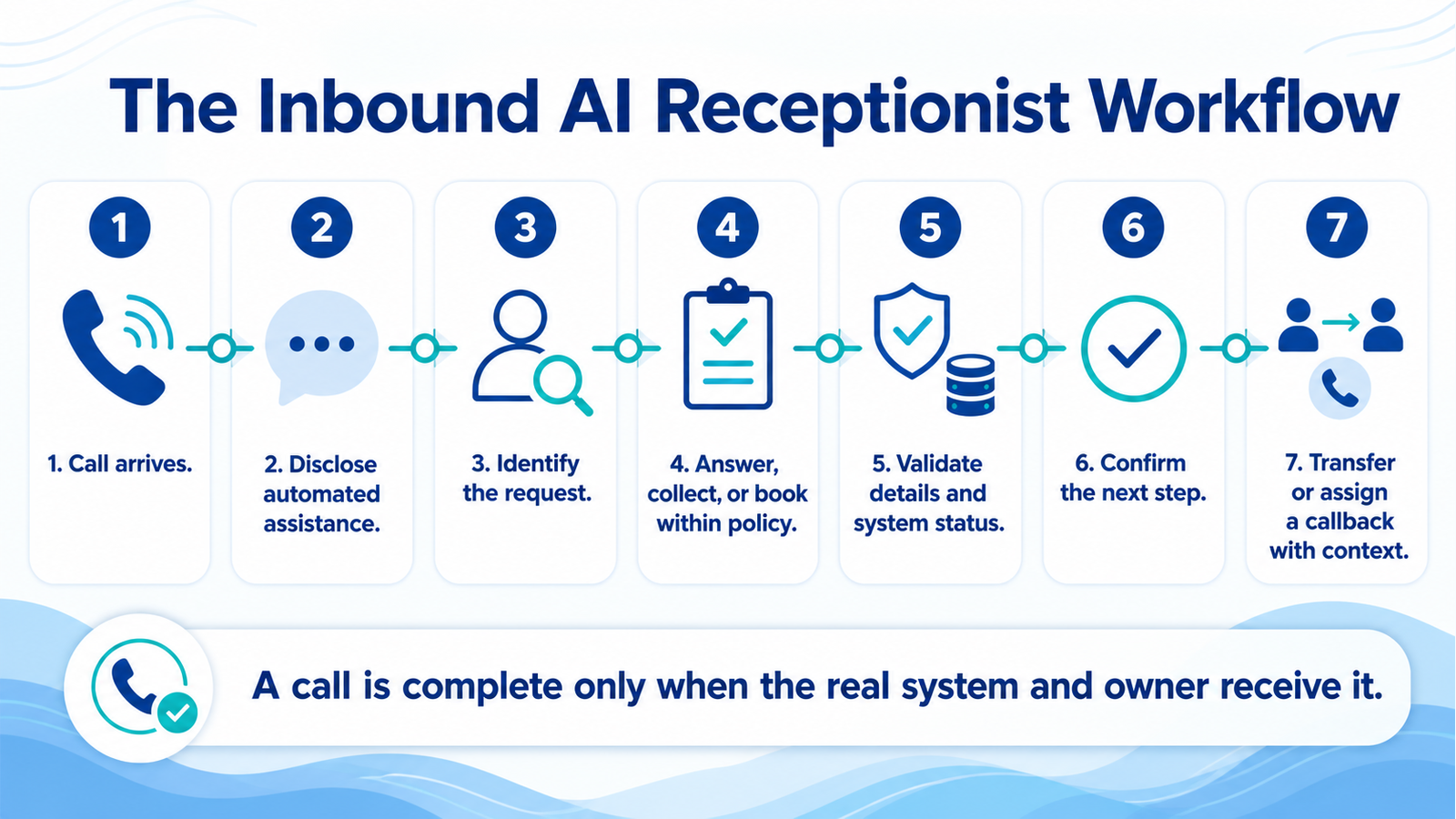
- State that it is an automated assistant
- Confirm business hours, service areas, and approved FAQs
- Collect name, phone number, email, location, and request type
- Check approved appointment availability
- Book or request an appointment within explicit rules
- Send a confirmation
- Transfer or create a callback task
Prohibit it from improvising prices, guaranteeing availability, offering professional advice, accepting unusual payment instructions, resolving disputes, or handling emergencies as ordinary calls. If the business operates in healthcare, finance, legal services, housing, employment, or another regulated field, have qualified counsel and domain leaders review the workflow and data handling before launch.
Write immediate escalation triggers for threats, emergencies, vulnerable callers, account access, complaints, refunds, legal language, sensitive personal data, and repeated misunderstanding. Then identify the staffed destination for each one.
Step 3: Build the call-to-system handoff
An answered call is not a completed workflow. By the end of this step, every qualified call should create an accurate record in the system your team already uses.
Map every field from conversation to destination:
| Call information | Destination | Validation |
|---|---|---|
| Caller identity and consent | CRM or intake system | Read-back or text confirmation |
| Request type | CRM pipeline or ticket queue | Approved category list |
| Location | Service-area check | Address or ZIP validation |
| Appointment request | Scheduling platform | Live availability and duration rules |
| Urgency or risk flag | Priority queue | Human review required |
| Conversation summary | CRM or help desk | Link to transcript or recording policy |
| Owner and next action | Assigned task | Due time and alert |
The source of truth matters. The voice agent should read actual calendar availability instead of inventing a time. It should check the CRM before creating a duplicate. If an integration fails, it should explain that the request is pending and route it for follow-up rather than claiming success.
For the human handoff pattern itself, use the context-packet checklist in AI Customer Service Needs a Human Handoff.
Step 4: Write a short, honest conversation design
By the end of this step, the agent should sound clear and efficient without hiding what it is.
Open with the business name, disclose that the caller is speaking with an automated assistant, and explain what it can do. Ask one question at a time. Confirm names, phone numbers, dates, addresses, and appointment choices aloud or by text. Avoid long monologues and exaggerated human filler.
A practical opening is:
“Thanks for calling [Business]. I’m the automated assistant. I can answer routine questions, collect details, and help request an appointment. You can ask for a person at any time. How can I help?”
Create approved answers from real policies. Every answer should have an owner and review date. When the knowledge source does not support an answer, the agent should say it needs a person to confirm.
Keep inbound answering separate from outbound telemarketing. In the United States, automated sales calls can trigger federal and state requirements. The FTC's Telemarketing Sales Rule guidance covers consent, opt-out mechanisms, Do Not Call rules, and recordkeeping. This article is educational, not legal advice; obtain counsel for the exact calling program and jurisdictions involved.
Step 5: Test the calls that break polished demos
By the end of this step, you should have evidence that the system handles ordinary traffic and fails safely.
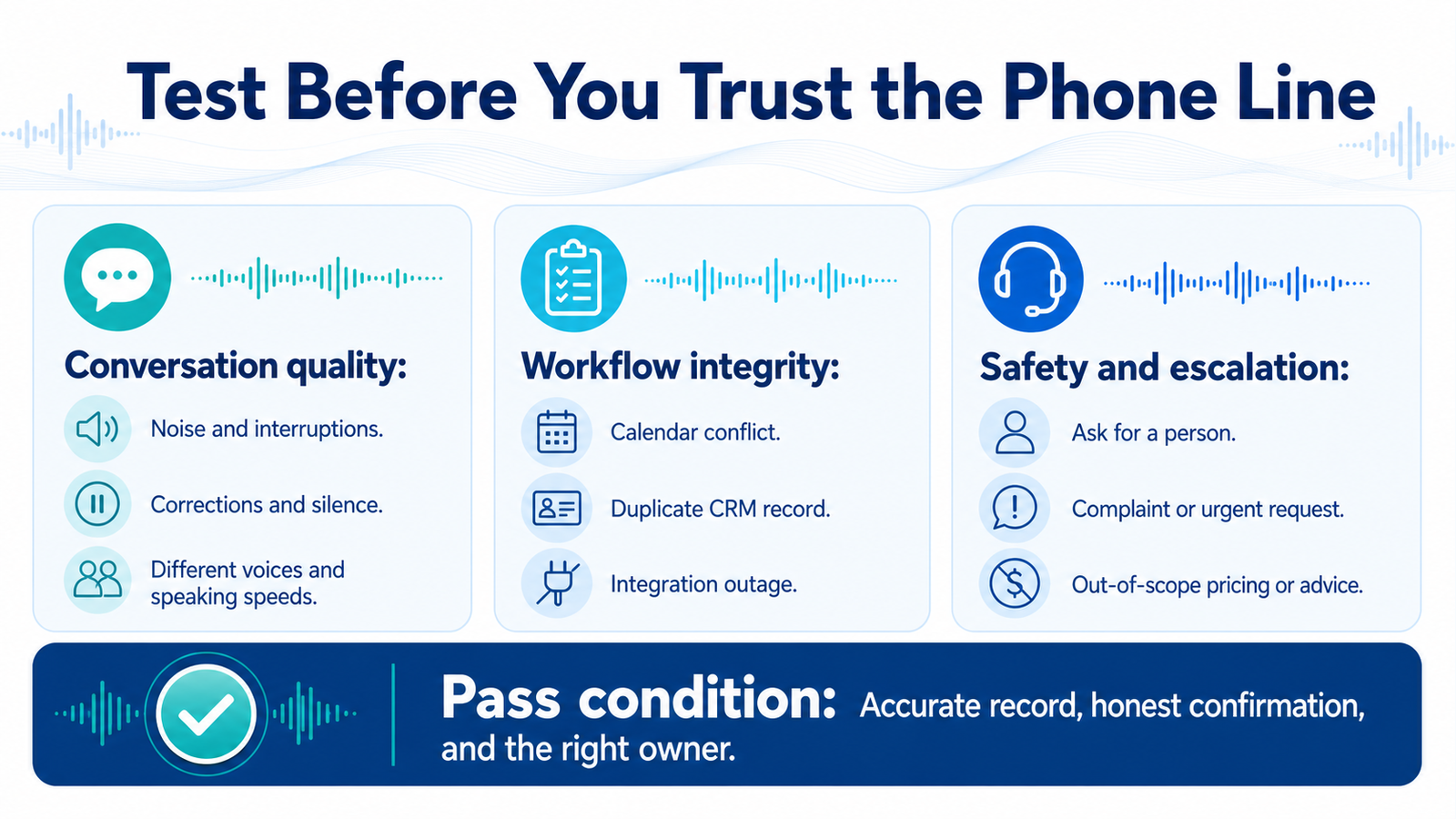
Test with different voices, accents, speaking speeds, background noise, interruptions, silence, corrections, and poor connections. Include:
- A caller who changes the date twice
- A caller who gives an incomplete address
- Two customers with similar names
- A request outside the service area
- An appointment slot taken during the call
- A CRM or calendar outage
- A caller asking for a person immediately
- A complaint or cancellation
- An urgent safety-related request
- A request for a price the agent may not quote
- Instructions that attempt to override company policy
Check the transcript, extracted fields, system record, notification, and customer confirmation for every case. Passing the conversation while corrupting the CRM is still a failure.
Step 6: Run a limited pilot
Start with after-hours calls, overflow traffic, or one location rather than every number. Review transcripts daily during the first week. Classify errors by cause: speech recognition, policy gap, knowledge error, integration failure, conversation design, or escalation failure.
Keep a kill switch and a simple fallback route. If the system or an integration is unhealthy, calls should go to voicemail, an answering service, or a staffed queue with an honest message. Silent failure is the most dangerous failure because the team may believe leads are being handled.
What success looks like after launch
The system succeeds when more callers reach a valid next step without creating unacceptable errors or extra staff cleanup. Compare the pilot with the call-audit baseline:
- Qualified calls captured
- Appointments requested and successfully booked
- Percentage of records with complete required fields
- Transfer completion rate
- Callback tasks completed within target time
- Duplicate or incorrect CRM records
- Escalation rate and reasons
- Caller abandonment
- Human rework per call
- Cost per completed qualified outcome
Do not optimize for containment alone. A low transfer rate can look efficient while hiding callers who could not reach help. Resolution quality, booking accuracy, and completed handoffs matter more than keeping a person out of the call.
Common mistakes to avoid
Trying to answer every question. A smaller approved knowledge set is easier to maintain and safer to trust.
Connecting the phone but not the workflow. If staff must retype the call, search for the recording, and guess the next action, the project has not removed the bottleneck.
Letting the agent imply completion. Confirm a booking only after the scheduling system accepts it. Confirm a transfer only when the destination receives it.
Using one escalation queue for everything. A sales callback, a service complaint, and an urgent safety issue need different owners and response targets.
Skipping disclosure and consent review. Be transparent and review recording, privacy, telemarketing, industry, and state requirements with qualified counsel.
Frequently asked questions
Will an AI receptionist replace my front-desk team?
The best first use is coverage and structured intake, not replacement. It can handle routine calls and overflow while staff own exceptions, relationships, sensitive matters, and judgment-heavy work.
Can it book appointments directly?
Yes, when it reads live availability, follows service and duration rules, validates caller details, and confirms only after the calendar accepts the booking. Unusual or sensitive appointments should require staff review.
What happens if the caller asks for a person?
The agent should honor the request without forcing the caller through more questions. It can transfer during staffed hours or create a callback with the information already collected.
Does it need to record calls?
Not necessarily. Recording and transcription choices depend on operational needs, vendor design, consent, privacy rules, and jurisdiction. Collect the minimum data needed and obtain legal guidance for your use case.
How should a small business start?
Audit existing calls, choose one narrow call type, define the permitted actions, connect the real systems, and run a monitored pilot. Wavefront Studio can map that workflow through a free AI readiness audit before you commit to a full voice-agent build.